How to Buy Zynga Poker Chips: Step-by-Step Guide
Purchasing from SafeZyngaPokerChips.com is designed to be a straightforward process. Before placing an order, review the available product, payment, and delivery information, and contact our support team if you have any questions.
Step 1: Choose Your Product
Select the Zynga Poker chip package or other available product you’d like to purchase. Review the product details and available options before continuing with your order.
Step 2: Contact Our Support Team
Use WhatsApp, Messenger, or the contact options on our website to confirm the product, price, and current availability. Our support team can also answer questions about the ordering and delivery process.
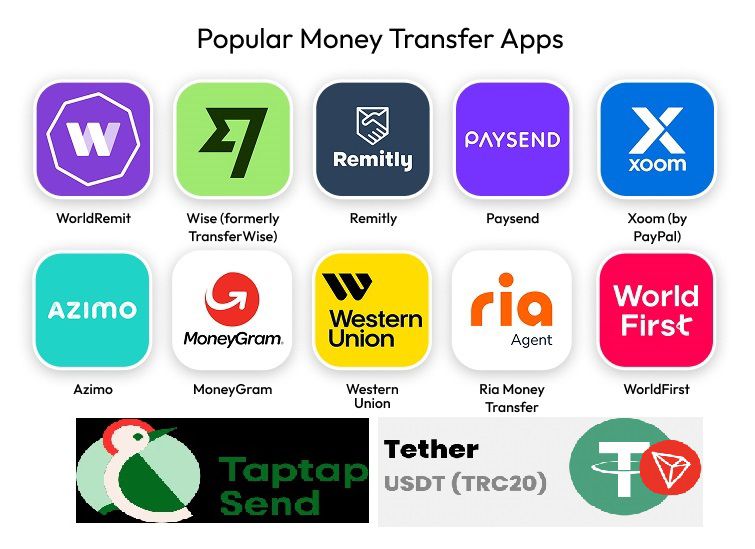
Step 3: Select a Payment Method
Choose one of the payment methods currently available through our support team. Before sending payment, make sure you’ve confirmed:
- The product you are ordering
- The total amount
- The applicable payment method
- Any relevant delivery information
Step 4: Complete Your Payment
Send the payment using the instructions provided by our support team. Keep your payment receipt or transaction reference until your order has been completed.
Step 5: Provide Only the Information Required for Your Order
For account-related delivery, only provide the information genuinely required to complete the transaction.
⚠️ Never send passwords, one-time verification codes, or other sensitive account credentials. Review the rules and terms of the relevant gaming platform before sharing any account-related information.
Step 6: Order Processing
After payment and the required order information have been received, our team will begin processing the order. Processing time can vary depending on the current order queue and other service conditions — please allow some time for your order to be completed.
Step 7: Confirm Your Order
Once processing is complete, check your game account and contact our support team if you have any questions or need assistance with the order.
What to Confirm Before Making a Payment
Before sending payment, ask our support team to confirm the complete order summary in writing. It should include:
- The selected product and package amount
- The final price and payment currency
- The available payment method
- The information required for processing
- The estimated processing time
- The support channel you can use if assistance is required
Prices and availability may change, so always obtain a current quotation before making a payment. Do not send money using payment information received from an unverified person or unofficial social-media account.
Information You May Need to Provide
The information required can vary depending on the selected product and delivery method. Our support team will explain what is needed after confirming your order.
You may be asked to provide limited order-related information, such as:
- The selected chip package
- Your Zynga Poker player ID or profile information
- A game-profile link or screenshot, when required
- Your payment receipt or transaction reference
- A contact method for order updates
Never share your Facebook password, email password, payment-account password, card PIN, recovery phrase, or one-time verification code. Our support team should never require these credentials to complete an order.
How Order Processing Works
Order processing begins after your payment and required order information have been verified. The time needed may depend on package availability, the payment method, current order volume, account details, and service conditions.
Please remain available through the same support channel while the order is being processed. If any information is missing or unclear, our team may contact you before proceeding.
Avoid submitting multiple orders for the same transaction, as duplicate requests can make it harder to match your payment and order information correctly.
How to Verify Your Completed Order
After receiving a completion message:
- Open the official game application or website yourself.
- Check the relevant balance or account section.
- Compare the updated balance with the confirmed order.
- Keep your payment receipt and order conversation until you have verified delivery.
- Contact our support team promptly if the order details do not match what was confirmed.
Provide your transaction reference when requesting assistance. This helps the team locate the correct order without asking you to repeat unnecessary account information.
Payment and Communication Safety
For a safer ordering experience:
- Contact us only through the communication links published on this website.
- Confirm the recipient’s payment details before transferring money.
- Do not rely on payment instructions forwarded by an unknown third party.
- Keep screenshots or receipts showing the transaction reference.
- Never allow another person to remotely control your phone or computer.
- Never disclose passwords, security codes, or recovery information.
- Report any account pretending to represent SafeZyngaPokerChips.com.
If the payment recipient or amount differs from the details confirmed by our support team, pause the transaction and contact us again.
Questions or Problems With an Order
If you need assistance, contact us using the same channel through which your order was confirmed. Provide:
- Your order date
- The selected package
- Your transaction reference
- The payment amount
- A brief explanation of the problem
Do not post private payment or account information publicly. Support availability and response times can vary, particularly during periods of high order volume.
Important Platform and Account Notice
SafeZyngaPokerChips.com is an independent website and is not affiliated with, endorsed by, or sponsored by Zynga Inc., Take-Two Interactive, Facebook, or any other game or platform operator.
Third-party transactions may be restricted under the applicable game or platform rules and can involve account-related risks. Customers are responsible for reviewing the current terms of the relevant platform and deciding whether to proceed. We cannot guarantee that any transaction will be free from account restrictions or other action by a platform operator.
No. Never provide your Facebook password, email password, payment password, one-time verification code, recovery phrase, or card PIN. Only limited order information genuinely required for processing should be provided.
Contact the support team through the official links on this website. Confirm the package, final price, payment currency, and availability before paying.
Processing begins after the payment and required order information have been received and verified.
Processing time can vary according to availability, payment verification, order volume, and service conditions. Ask for the current estimated processing time before paying. Do not advertise a fixed or “instant” delivery time unless you consistently provide it.
Keep your receipt, transaction reference, confirmed order details, and support conversation until you have checked that the order was completed correctly.
Contact the support team immediately and explain what needs to be corrected. Do not submit a second payment unless the team specifically confirms that it is necessary.
Use the WhatsApp, Facebook Messenger, or contact links published directly on SafeZyngaPokerChips.com. Avoid accounts or numbers received from unknown third parties.